Walking & Running: Pace Tables and Planning Tools
Plan a walk or run by connecting distance, pace and time. Use the tables for a quick reference, the pace calculator for your own numbers, and the run–walk planner for alternating intervals.
Choose the tool for your question
- I know two of distance, time and pace: calculate the third with the pace, speed and time calculator.
- I alternate running and walking: use the run–walk session planner to count intervals, warm-up and cool-down. It calculates time, not a personalized training plan.
- My watch and app disagree: first check moving time versus elapsed time, then current pace versus lap pace.
Read pace correctly
Pace is time per unit of distance; speed is distance per unit of time. A smaller min/km number means faster movement. 6:30 min/km means six minutes and thirty seconds per kilometer, not 6.30 decimal minutes. In decimal minutes it is 6.5. Keep units consistent before multiplying.
Pace conversion table
Each row is a mathematical reference, not a target, fitness rating or boundary between walking and running. Pace is shown as minutes:seconds; converted pace is rounded to the nearest second and speed to two decimals.
| min/km | min/mile | km/h |
|---|---|---|
| 4:00 | 6:26 | 15.00 |
| 5:00 | 8:03 | 12.00 |
| 6:00 | 9:39 | 10.00 |
| 6:30 | 10:28 | 9.23 |
| 7:00 | 11:16 | 8.57 |
| 8:00 | 12:52 | 7.50 |
| 10:00 | 16:06 | 6.00 |
| 12:00 | 19:19 | 5.00 |
| 15:00 | 24:08 | 4.00 |
| 20:00 | 32:11 | 3.00 |
Time for common distances
These times assume the same average pace throughout. Times use hours:minutes:seconds, so 0:30:00 means 30 minutes. Holding a pace for 1 km does not establish that you can hold it for 10 km.
| min/km | 1 km | 5 km | 10 km |
|---|---|---|---|
| 5:00 | 0:05:00 | 0:25:00 | 0:50:00 |
| 6:00 | 0:06:00 | 0:30:00 | 1:00:00 |
| 8:00 | 0:08:00 | 0:40:00 | 1:20:00 |
| 10:00 | 0:10:00 | 0:50:00 | 1:40:00 |
| 12:00 | 0:12:00 | 1:00:00 | 2:00:00 |
| 15:00 | 0:15:00 | 1:15:00 | 2:30:00 |
Three practical examples
A 3 km walk at 12:00 min/km takes 36 minutes in motion. Add 4 minutes of stops and the outing takes 40 minutes. To fit a 30-minute slot including those stops, only 26 minutes remain for movement: about 2.17 km at that pace. These are illustrative assumptions.
A 5 km run in 30 minutes has an average pace of 6:00 min/km and speed of 10 km/h. If 30 minutes excludes a 3-minute stop, elapsed time is 33 minutes and elapsed pace is 6:36 min/km. Choose the time that matches your question.
For two equal 1 km sections at 6:00 and 8:00 min/km, total time is 14 minutes and average pace is 7:00 min/km. Do not average pace values for unequal distances without weighting: use total time divided by total distance.
Formulas and limits
Pace (min/km) = minutes ÷ kilometers. Time (minutes) = pace × distance. Distance (km) = minutes ÷ pace. Speed (km/h) = 60 ÷ pace in decimal min/km. Multiply min/km by 1.609344 to get min/mile; divide to reverse it.
Tables do not model hills, surface, weather, fatigue, traffic or treadmill incline. They do not estimate calories or prescribe exercise intensity. For an appointment or a route with stops, budget elapsed time. Apps can process pauses differently; compare the time fields, not just the headline pace.
Before you set out
- Choose a route and a time budget that includes expected stops.
- Decide whether you are comparing moving time or elapsed time.
- Check kilometers versus miles and minutes:seconds versus decimal minutes.
- If using intervals, count the last walking interval explicitly in the planner.
- Afterwards, record distance, time type and relevant route conditions before comparing outings.
Sources and calculation notes
The exact international-mile conversion comes from NIST. Strava’s documentation explains its handling of activity time. Tables and examples here are independently calculated arithmetic, not performance predictions.
How do I make the outing fit my day?
Start with the time you actually have. Use the deadline guide for one outing, the weekly record for a repeatable habit, or the event checklist for an organized 5K. A calculated finish time does not cover every part of an event day.
What do my distance, time and step readings mean?
Choose the quantity you are checking: track distance, the time field used for pace, or steps per minute. These guides explain how to record the measurement and its context before comparing sessions. Cadence is not another name for speed.
-
Use these tables to plan your track session: Running Track Laps: Distances, Mile Conversion and Pace Tables.
-
Use the moving, timer and elapsed-time examples before comparing pace readings.
-
To measure steps per minute and interpret stops and averages, use Walking Cadence and Speed: Measure Steps per Minute Clearly.
Am I estimating a route or changing its units?
Start with the question behind the number. “How long will this walk take?” needs the whole route, a planning pace and stops. “What does this pace mean in kilometres?” needs a unit conversion. A conversion describes the same outing; it does not add the return journey or predict how the effort will feel.
Two routes through the examples
- Check the route first: is the stated distance one way, a loop or the full return trip? Include each walking leg once.
- Check the units next: keep minutes:seconds distinct from decimal minutes and match the distance unit to the pace unit.
- Then calculate movement time and add stops once. Keep an estimate separate from an actual elapsed-time record.
Example: a destination one mile away still needs a return leg if you are walking back. Changing that mile to kilometres does not include the missing leg. Use the walking-time example for the route structure, the conversion guide for the units, then the existing calculator for your chosen values. These pages organize a calculation; they do not choose your training pace.
How do I describe the effort?
Keep the pace calculation separate from your effort observation. The talk-test record helps describe speaking comfort; the walking-cardio example separates different kinds of minutes within one outing. A pace-table row alone does not classify your effort.
-
Use the talk-test observation card to keep speaking comfort separate from pace and total time.
-
For a worked example separating brisk walking, easy movement and waiting, read Does Walking Count as Cardio? Track the Minutes That Match the Effort.
Choose a record for the decision you want to make
Start with one question, then choose the smallest record that can answer it. A weekly completion table, a speaking-comfort note and a segment-by-segment time record serve different purposes. You do not need to fill in all three after every walk. The records below are optional ways to organize observations, not fitness tests or personalized exercise plans.
| Your question | Useful record and its limit |
|---|---|
| Did the walk fit my week? | Use the weekly habit sheet to note the cue, route, actual time and obstacles. Completion does not establish intensity. |
| How did speaking feel during this part? | Use the talk-test card for the observation and its conditions. One observation does not describe every minute of the outing. |
| Which minutes were walking, stops or uncertain effort? | Use the printable segment record to keep time and effort descriptions together. Blank or uncertain fields do not become zero or moderate minutes. |
| Why do my two time readings differ? | Use the moving-versus-elapsed guide before copying a device duration. Label each original time field rather than combining them. |
Example: the same “30 minutes” answers different questions
An illustrative app entry says “walk, 30 minutes”. If the question is whether the planned lunchtime walk happened, the weekly sheet can record completion and the interruption that shortened the route. If the question is how many minutes felt moderate, that app label alone cannot answer it: first establish which time field it shows, then use any effort observations you actually made. Do not reconstruct missing segments just to fill a table.
A note such as “walk completed; app shows 30 minutes; time type unchecked; effort not recorded” preserves useful information. It does not need to become a pace target or an intensity total. On a later outing, choose what to observe only if it will help your next decision; avoid turning an ordinary walk into a data-collection obligation.
Before comparing or adding entries
- Name the question: scheduling, speaking comfort, time accounting or pace?
- Keep the unit, time definition and observation method visible; mark estimates and missing information.
- Check whether two entries describe the same outing. A second device record is not another walk.
CDC: measuring relative effort.
How do I read and record a treadmill session?
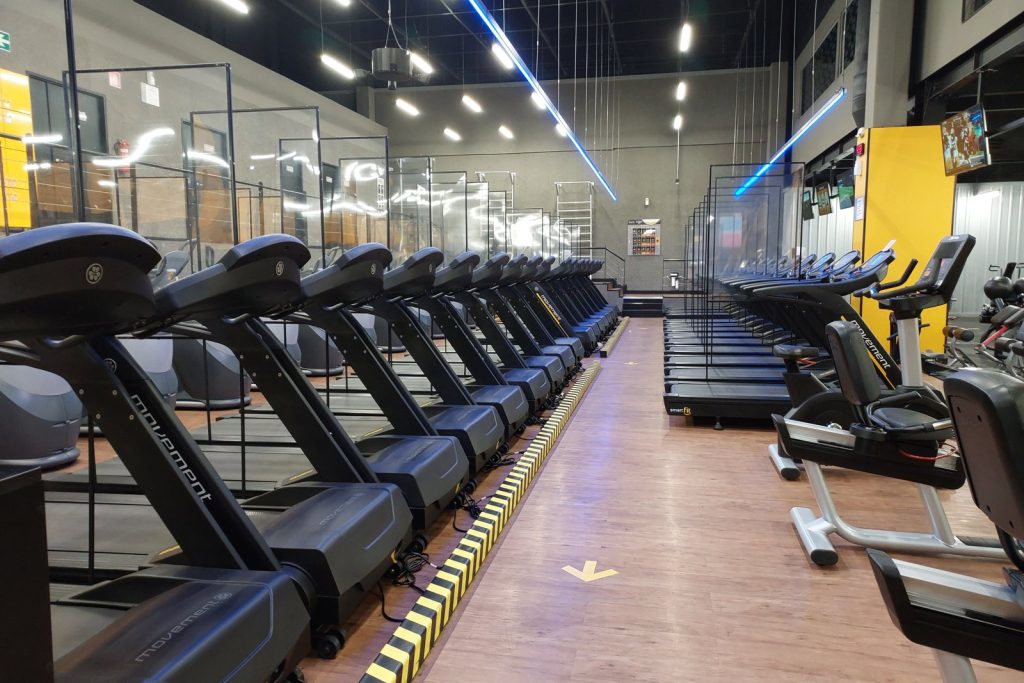
Start with the question you are trying to answer. Converting one speed setting, averaging a session with speed changes and comparing two devices require different records. The pace table above handles a single speed; use the routes below for the session behind the number.
For example, “what pace corresponds to this speed?” belongs to the conversion table. “What was my average after changing speed?” belongs to the segment workbook. “Why are there two distances?” belongs to the device comparison. Choose that question before recalculating or editing an activity.
Choose a timing resource by the information you have
A finish time, a list of watch readings and a run–walk instruction describe different things. Start with the question you want to answer, then use the matching resource below. A table calculated from an average cannot reconstruct the sections you actually completed.
| Your question and inputs | Resource and what it produces |
|---|---|
| What would equal-pace checkpoints look like for my chosen distance and time? |
Use the existing pace calculator and printable checkpoint card. Enter two known values, choose 1- or 5-unit checkpoints and calculate. The HTML card contains a mathematical reference and blank notes; it is not an observed session or an individually chosen pace target. |
| What do my recorded cumulative or lap times tell me about the outing? |
Use the recorded-split workbook. Read cumulative and section times separately, compare equal-distance parts and keep missing checkpoints unknown. Calculated even-pace readings do not replace the device readings. |
| How long does this repeated run–walk sequence take? |
Use the run–walk interval planner. Enter the actual run and walk durations, number of runs, final-walk choice and separate preparation/finishing time. It returns a phase schedule and total time, without estimating distance or pace. |
Example: the same total does not give every split
Suppose your only record is 5.5 km in 33:00. The calculator can make an equal-pace reference with 1 km checkpoints: 30:00 at 5 km, then a final 0.5 km ending at 33:00. It cannot tell whether your first kilometre really took 6:00 or whether you stopped. To review the actual outing, use the split workbook with the original readings you have. If you instead have instructions for alternating timed runs and walks, use the interval planner. These are illustrative choices, not a suggested workout.
- Identify the input: a chosen distance and time, recorded checkpoint readings, or timed interval instructions.
- Keep the unit and time field visible: moving, elapsed or another clearly named clock. Stops are not located by an average-pace calculation.
- Save the calculated card only as a reference; keep the original record for later review. Check the final partial section and any missing information.
About this article: an introductory editorial draft. Not yet independently reviewed by a fitness professional.